

Getting your website to the first page of Google isn’t easy, but if you’re reading this article, then my SEO magic has helped me get to my intended audience. With AI citations taking up the top spot in Google, it’s even more difficult to get article noticed.
I’ve grown multiple websites to consistent Google traffic and high ranking using the methods in this guide. What you’ll read below is an honest, experience-backed breakdown of exactly what ahs worked for me, and will work for you.
How Google Decides Who Ranks
Google uses over 200 ranking factors, but they all lead to one mainquestion: Is this the most helpful, trustworthy, and relevant result for this search query?
Google’s official quality guidelines, known as the Search Quality Evaluator Guidelines, give us the clearest picture of what Google actually wants. The framework that matters most is E-E-A-T: Experience, Expertise, Authoritativeness, and Trustworthiness.
In practical terms, you rank by producing the best answer to a specific search query, on a website that Google trusts, with other credible websites referencing you. Everything else – title tags, meta descriptions, schema markup – is less important now.
Step 1: Keyword Research
You cannot rank for everything. You’ll want to use tools to niche down to what exact keywords you plan to link for. You can’t simply write for the sake of writing anymore. The most important decision in SEO is choosing which keywords to target – and the criteria are:
- Search volume: Are people searching for these terms?
- Competition: Can a website of your current authority realistically rank for these terms?
- Intent: Does the person searching for this want what you’re offering?
How to Find Good Keywords
Google Search Autocomplete: Type your topic into Google and take note every autocomplete suggestion. These are real searches that people are making. Also check the “People Also Ask” box and the “Related Searches” at the bottom of the page, as both of these are keyword goldmines.
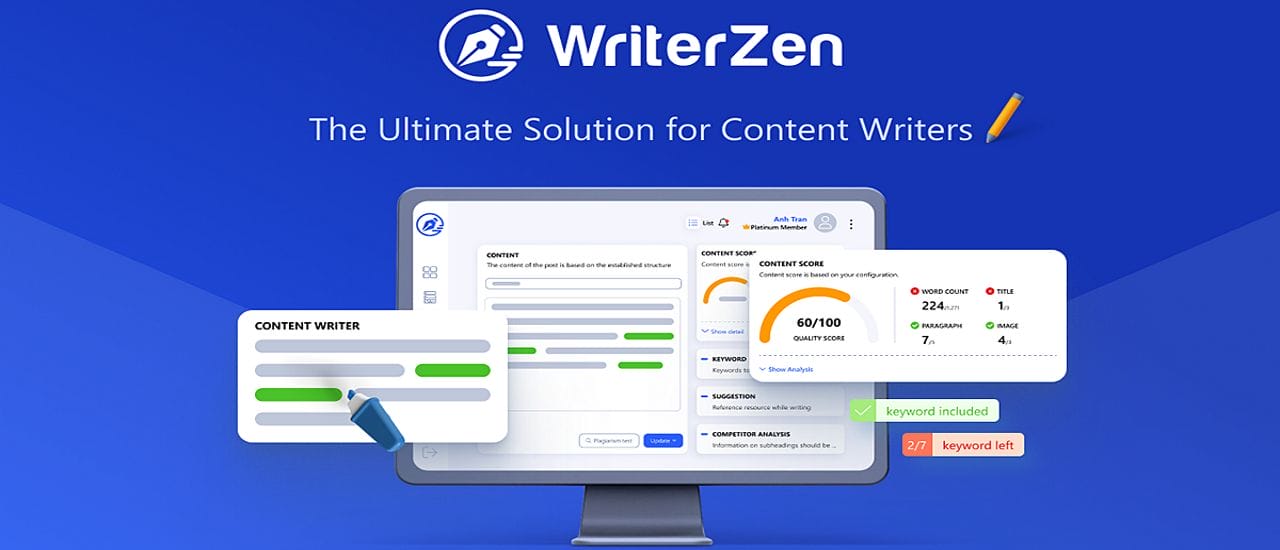
WriterZen: A strong keyword research tool specifically for blog content and SEO articles. I use it myself to find keyword clusters and content gaps. See our review: WriterZen Review.
Google Search Console (free): Once your site has some traffic, Search Console shows you exactly which queries you’re appearing for and in what position. You can use it to find keywords where you rank lower and push them up to the first page by improving your content.
Ahrefs / Semrush: The industry-standard paid tools. Ahrefs’ Keywords Explorer and Semrush’s Keyword Magic Tool give you traffic data, keyword difficulty scores, and competitor analysis. Be warned, they are extemely expensive (~$100/month). I’d only really recommend them for big companies.
Keyword Difficulty: Target the Right Level
A new website cannot rank for competitive short keywords like “passive income” or “best coffee.” You’ll never rank for these against established, high-authority sites that have been writing content for 10+ years. Instead, target long-tail keywords, eg. “Best passive income ideas for online sellers in Argentina”. Niche down as much as possible. There’s fewer people searching for those terms, but you’ll get all of them and start building up your authority.
Step 2: On-Page SEO
On-page SEO means optimizing your articles to help show Google how relevant they are. I’ll tell you right now that the most important section to you is going to be the interlinking section, but we’ll get to that shortly.
The Essential On-Page Elements
Title Tag: Your title tag should have your keyword in it. Your H1 and title tag do not need to be the same, although WordPress automatically sets them up as the same. Use your favorite SEO tool – Yoast, Squirrly, etc. to edit your title tag to something similar but not exact to your H1.
Meta Description: It doesn’t directly affect your ranking but does affect click-through rate. Write 120–158 characters that summarise what the reader will learn and include your keyword naturally. Make it something that you would click if you were looking for this info.
H1 Heading: Every page should have exactly one H1 – this is the page’s main heading. Include your keyword here.
H2/H3 Subheadings: Break your content into scannable sections. Include related keyword variations naturally in subheadings. Tools like NeuronWriter analyse which semantic terms the top-ranking pages all use – be sure to include these terms to improve your topical coverage. See our review: NeuronWriter Review.
URL Structure: Keep URLs short, descriptive, and keyword-inclusive. Avoid date-based URLs. eg. best-passive-income-tools-2026
Internal Links: This is actually way more important since Google’s Core Update in December 2026. You can no longer have orphan articles with no links connecting them. You need pillar articles linking to smaller cluster articles, and those individual clusters all linking back to the main pillar. This helps Google recognize that you’re an authority in your niche. Make sure that you’re linking to related content on your own site using descriptive anchor text. This passes authority between pages and helps Google understand your site’s structure. For WordPress specifically, see our review of the internal linking tool: Linksy.
External Links: Link out to authoritative, relevant sources. This is a trust signal and adds context for readers. Don’t be afraid to link to Wikipedia, government sources, or industry-leading publications. And don’t stress too much about adding No Follow to every link. Unless it’s a site that has user content on it, there’s no reason to mark it as no follow.
SEO Plugins for WordPress
If you’re running WordPress, an SEO plugin is essential for managing title tags, meta descriptions, and sitemaps. The two best options are Yoast SEO and Squirrly SEO. We’ve compared them thoroughly: Squirrly SEO vs Yoast SEO. For a full Squirrly review: Squirrly SEO Review.
Step 3: Technical SEO
Technical SEO ensures Google can actually crawl, index, and understand your site. Many sites lose significant rankings due to fixable technical issues. These are more basic parts of SEO, but they’re important for everyone to check on.
Core Technical SEO Checklist
- HTTPS: Your site must be on HTTPS (SSL certificate). Google has treated HTTP as a ranking negative since 2014. All reputable hosts now include free SSL via Let’s Encrypt.
- Mobile-first: Google indexes the mobile version of your site first. Test mobile usability at Google’s Mobile-Friendly Test.
- Page speed: Core Web Vitals are now a ranking factor. Test your site at PageSpeed Insights. The biggest wins usually come from optimising images. For this, you’ll need to use a caching plugin, and switch to a fast host.
- XML Sitemap: Ensures Google knows about all your pages. WordPress SEO plugins generate and submit this automatically.
- Robots.txt: Tells Google which pages not to crawl. Ensure important pages aren’t accidentally blocked.
- Canonical Tags: Prevents duplicate content issues by telling Google which version of a page is authoritative.
- Structured Data (Schema): Markup that helps Google display rich results (FAQ boxes, star ratings, How-To steps). Use Schema.org markup for eligible content types.
Step 4: Content Quality and E-E-A-T
Content quality is now Google’s primary ranking consideration for most queries. “Quality” in Google’s mind means demonstrating Experience, Expertise, Authoritativeness, and Trustworthiness (E-E-A-T).
How to Demonstrate E-E-A-T
- First-hand experience: Write from your own genuine experience – “I’ve tested this,” “In my experience,” “I’ve used this tool for two years.” This makes your content better than anything created with AI-generated content farms.
- Author bio: Include a detailed author bio with real credentials, links to other publications, and a profile photo. Anonymous content now gives off low trust signals.
- Original data and examples: Include your own screenshots, data, testing results or examples. This is something that cannot be replicated exactly by competitors.
- Regular updates: Add a “Last updated” date and actually update articles when information changes. Stale content underperforms.
- Cite sources: Link to the official sources (Google’s documentation, Amazon’s KDP guidelines, academic studies) that support your claims.
For practical guidance on how to increase your page rank specifically: How to Increase Page Rank on Google.
Step 5: Link Building
Backlinks are still a very important ranking factor, but they need to be from related sources. If you’re writing about SEO and get backlinks from restaurants and bars, they’re almost useless to you. A single backlink in your niche is worth a 100 backlinks from random websites.
The Best Link Building Strategies
Guest posting: Write articles for other websites in your niche in exchange for a link back to your site. This has always been one of the most effective link-building tactics, although it does take a lot of messaging to find someone who’s interested. See our guide: 3 Easy Ways to Get Guest Posts and Improve Your Google Rankings.
Create linkable assets: Original research, comprehensive guides, free tools, and unique data sets will automatically get bloggers to link to you, or cite you. The article you’re reading right now is a linkable asset, other bloggers covering SEO might very well link to it.
HARO (Help a Reporter Out) / Connectively: Journalists and bloggers regularly ask for expert sources. Responding to them with genuine expertise can earn you high-authority backlinks from publications. Sign up at Connectively.
Broken link building: Find broken links on other websites in your niche and offer your content as a replacement. Tools like Ahrefs’ broken link checker make this easy, but again, it’s expensive.
Step 6: Hosting and Page Speed
Your web host directly affects page speed, uptime, and security. These will all affect your rankings. Shared hosting is simply no good anymore for your websites any more.
For WordPress sites, managed WordPress hosting or a VPS provides much better performance than cheap shared hosting. See our guides:
If you run WooCommerce, hosting requirements are higher. See: Best Server for WooCommerce.
The Best SEO Tools
Free tools:
- Google Search Console — Essential. Shows rankings, click data, indexing issues.
- Google Analytics 4 — Traffic and engagement metrics. See alternatives: 5 Best Free Alternatives to Google Analytics GA4.
- Google PageSpeed Insights — Core Web Vitals performance testing.
Paid tools worth the investment:
- NeuronWriter (~$19/month): NLP-based content optimisation. Full review here.
- WriterZen: Keyword research focused on blog content. Full review here.
- Squirrly SEO / Yoast SEO (WordPress plugins): On-page SEO management. Comparison here.
- Ahrefs / Semrush (~$99–$130/month): Comprehensive backlink analysis, keyword research, and competitor intelligence. Worth it for serious content publishers.
How to Track Your SEO Progress
SEO results do take time. You’ll often have to wait multiple months before seeing any significant movement for competitive keywords. Metrics to track:
- Organic impressions and clicks: Google Search Console → Performance report
- Keyword rankings: Track target keywords weekly using a rank tracker (Ahrefs, Semrush, or free tools like SerpRobot)
- Page speed scores: Monitor monthly – hosting and plugin updates can affect performance
- Backlink growth: Track new referring domains monthly using Ahrefs or Google Search Console
Frequently Asked Questions
How long does SEO take to work?
For new websites that are targeting competitive keywords, expect 6-12 months to see significant jumps in your rankings. Long-tail, low-competition keywords can rank within weeks.
Is SEO dead?
No. Despite every “SEO is dead” headline published every year since 2010, organic search is still the easiest and cheapest way to get eyes on your content. It’s definitely more difficult, and the new AI Search features in Google are going to negatively affect most websites, but organic traffic is not dead yet.
Can I do SEO myself or do I need an agency?
Most small business do it themselves. If you can afford an agency, then absolutely go that route, as it’s very time-consuming. For everyone else, it’s a slow road. Make sure that you’re always working on better content AND new backlinks. Don’t neglect one for the other.
Does social media affect SEO rankings?
Indirectly. Social media shares don’t directly boost rankings, but they can increase your contents visibility, which can lead to more natural clicks and potentially more backlinks, which do affect rankings. See our guide on promoting your business on social media.
Once you’ve got the SEO basics in place, your next step is the content itself. Our AI writing tools guide can help speed up production: Top ChatGPT Alternatives for Content Creation. And for the hosting foundation your SEO needs: Best Hosting for SEO on a Budget.
Last Updated on May 26, 2026

With more than fifteen years of blogging experience, I have contributed to numerous respected websites and publications. I am also the author of multiple books that have sold thousands of copies and currently lead a successful digital sales business. Writing remains my core passion, and I am dedicated to creating meaningful stories and insights that resonate deeply with readers.