


Running a WooCommerce store on the wrong hosting plan creates problems that will decrease your revenue and scare away customers. Slow carts. Failing checkouts. Plugins that take ages to load. Once your store starts making a few sales, shared hosting is just not an option any longer.
A proper server solves all these problems. You need dedicated resources, predictable performance and full control of your stack. That’s why a self-managed server is the best setup for WooCommerce, especially if you want a stable income and happy customers.
WooCommerce – The Power Hog
WooCommerce isn’t light. Every product, cart update and checkout step triggers database work and PHP processes. On shared hosting, those processes compete with everyone else on the same machine. When traffic rises, your store slows down first.
A dedicated server removes that problem. Every core action runs with your own CPU and RAM. You don’t lose performance because someone else on the host is running a backup or sending a traffic spike through their site. So someone else’s issues will never negatively impact your sites performance.
Think about your busiest time of the day. How many sales do you lose from a checkout that takes even a few seconds longer? Once you switch to your own machine, that delay disappears.
Another issue is pagespeed. WooCommerce bogs down your site and will give you terrible loading speeds if you’re on the wrong host. Give it a try right now. If you’re not hitting above 70 for your mobile speeds, then you either need a better server or some serious optimization.
Netcup to the Rescue
Servers used to be super expensive, but there are companies like Netcup that buck the trend and offer a range of vServers and Root Servers at ridiculously low prices. You get multiple CPU cores, fast NVMe storage and solid RAM without paying inflated prices for “managed WooCommerce plans.”
And if you’re like me, and have zero idea how to use a terminal to run your server – that’s no problem either. There are a ton of tools that you can use to manage your server that allow you to simply click options to make changes to your site. My favorite at the moment is FlyWP. It has every option you’ll need to completely manage your WordPress site including PHP settings, backups, uptime monitoring, blocking bad bots, redirect rules, plugin and theme updates, etc.
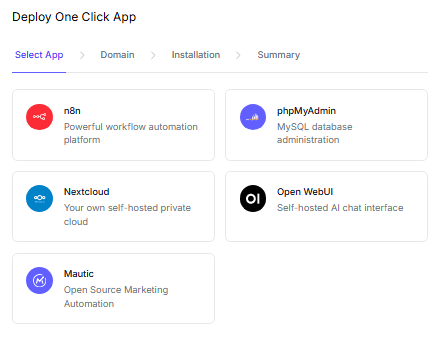
And if you want additional apps, it also allows you to self-host apps like n8n, Nextcloud and Mautic with the click of a button.
The Best Server for WooCommerce
If you want your WooCommerce store to run smoothly and remain stable – you need to get it off of shared hosting as quickly as humanly possible. In many cases, a vServer will cost the same amount but stop tons of issues that customers have when trying to purchase from you. Self-hosted machines give you speed and predictable performance from the moment they’re set up. They help you avoid the classic shared hosting headaches that cost sales and create stress.
Netcup is the best entry point for strong performance and cheap pricing. Once you move your WooCommerce site onto a dedicated server, you’ll see how much easier your work becomes…

With more than fifteen years of blogging experience, I have contributed to numerous respected websites and publications. I am also the author of multiple books that have sold thousands of copies and currently lead a successful digital sales business. Writing remains my core passion, and I am dedicated to creating meaningful stories and insights that resonate deeply with readers.